Sending money
You're transferring funds to your counterparty
-
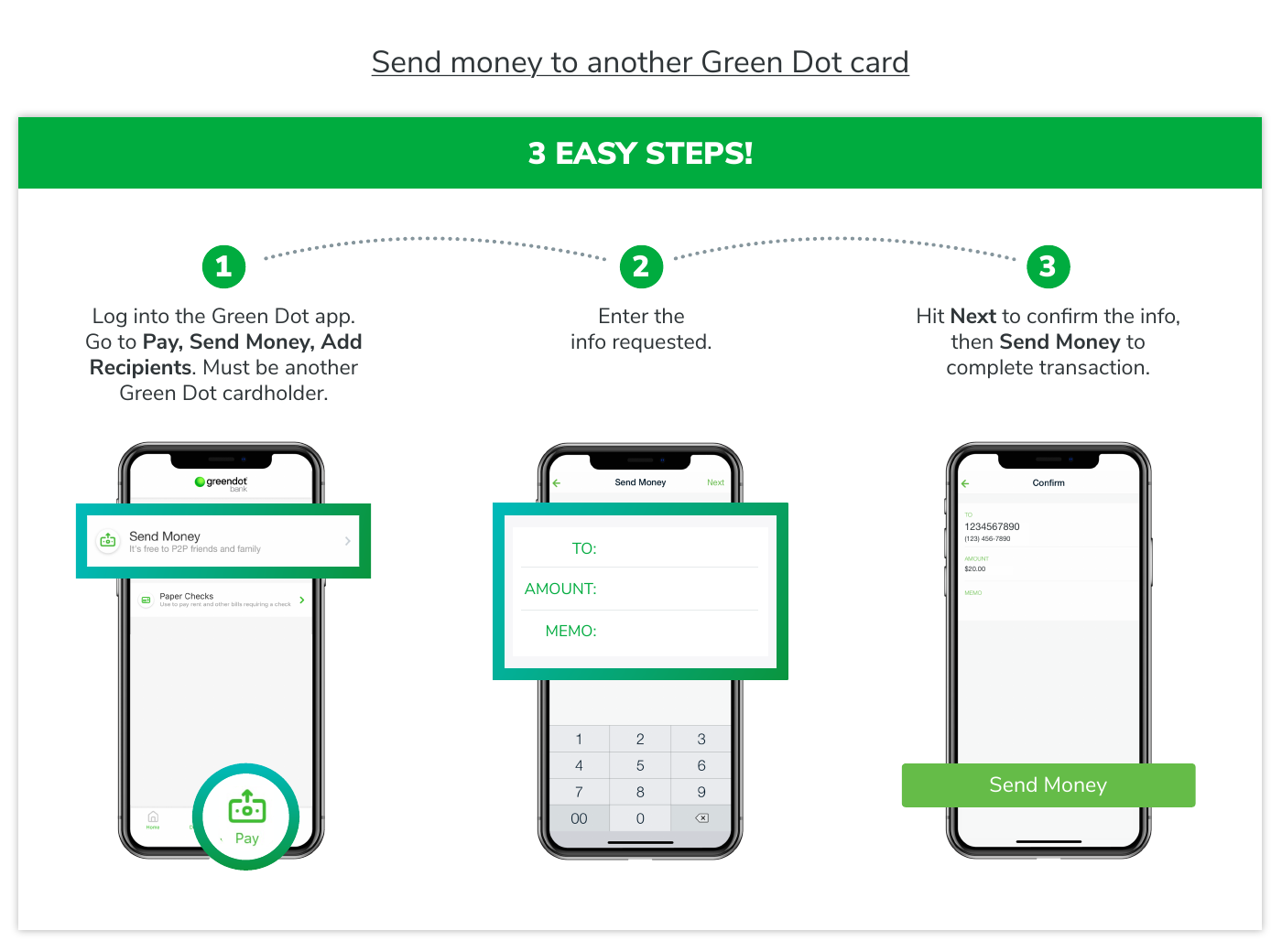
Open the Green Dot app and sign in.
-
Go to Pay.
-
Choose Send Money. This is the only option MatchPay accepts.
-
Choose Add recipient.
-
Enter the recipient details shown on your MatchPay trade screen. Copy and paste the email or phone exactly — never type it from memory.
-
Enter the exact trade amount.
-
If a note or reference is required, enter gift in the Memo field. This protects your Green Dot account.
-
Complete the transfer and save your proof.
Save proof of transfer in case the credits aren't confirmed as received:
- The Green Dot confirmation screen
- The transaction reference
- The transaction date and time